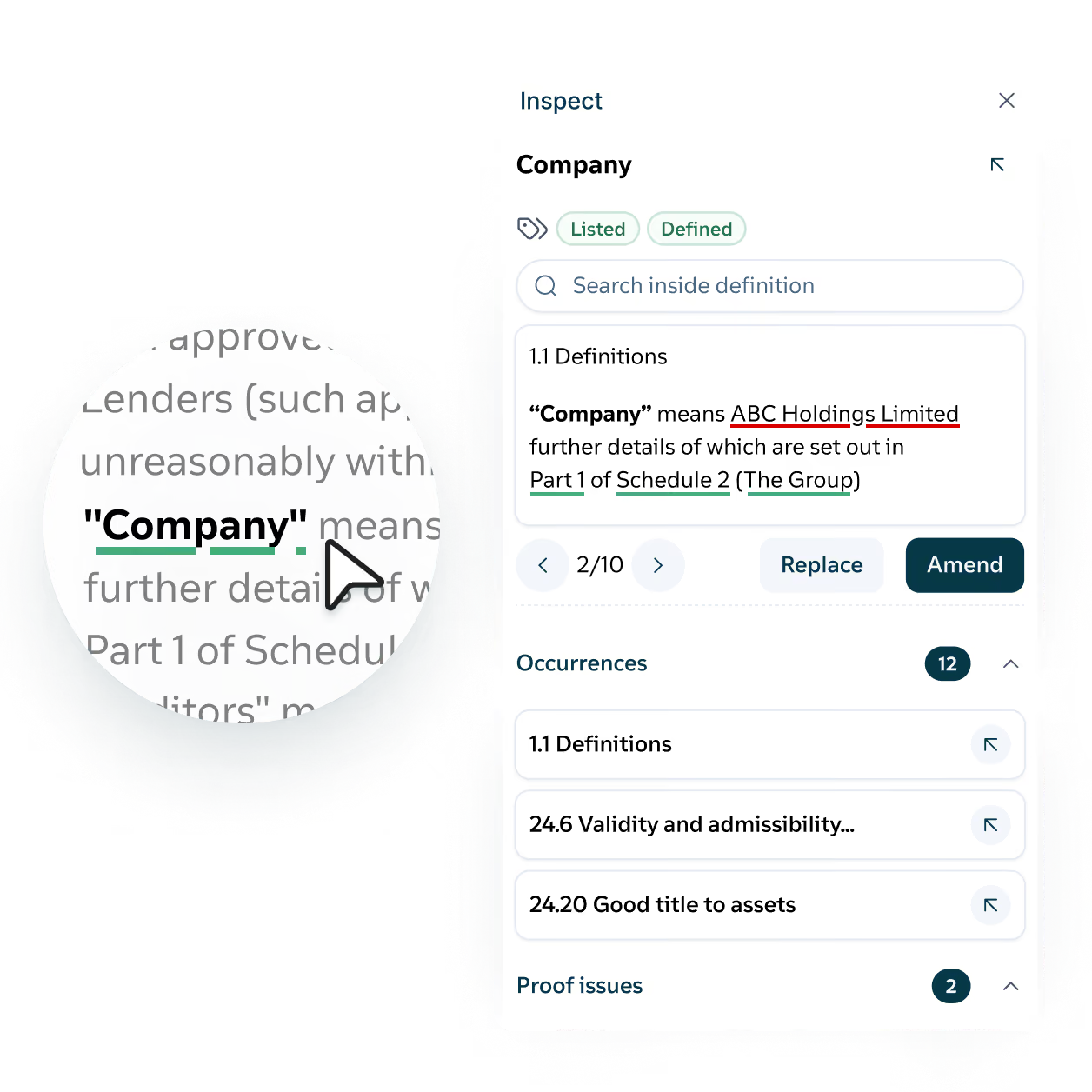
Each time you leave a provision to look up a definition or cross-reference, you risk losing your thread. Definely brings the meaning of the whole contract into the Definely panel, so you can check a clause or fix a definition without leaving the provision you’re working on.
Click-to-navigate
Every defined term and cross-reference in the contract becomes a link that opens its meaning or destination in the Definely panel, including nested definitions and cross-references. Click “Permitted Disposal” in clause 21 and its full definition appears beside the clause.
Inspect
Open any definition or clause in full from anywhere in Definely, showing every place it’s used and the proofreading issues attached to it. Click “Permitted Disposal” in clause 21 and see its definition, each use of it, and any issues, without losing your place in the findings.
Edit in place
Edit any definition or clause in split screen, without leaving the clause you’re working on. If clause 30 needs a carve-out while you’re reading clause 8, fix it with clause 8 still in view.
Linked documents
Bring in terms defined in other documents in the transaction, without switching files. While you work on the disclosure letter, the definitions from the SPA appear beside the clause in front of you.
Definition report
Export every defined term in the contract, with the undefined and unused terms that need attention. Run it on a 200-page SPA and you know which terms need work before you read clause 1.
Interactive table of contents
A table of contents in the Definely panel, organized by schedule, clause, and sub-clause. Jump from clause 3 to Schedule 7 without scrolling the document.