June 15, 2026
•
Insights
Legal document drafting has always been about managing risk, precision, and judgement. What has changed is how much of the mechanical work around drafting can now be supported by software.
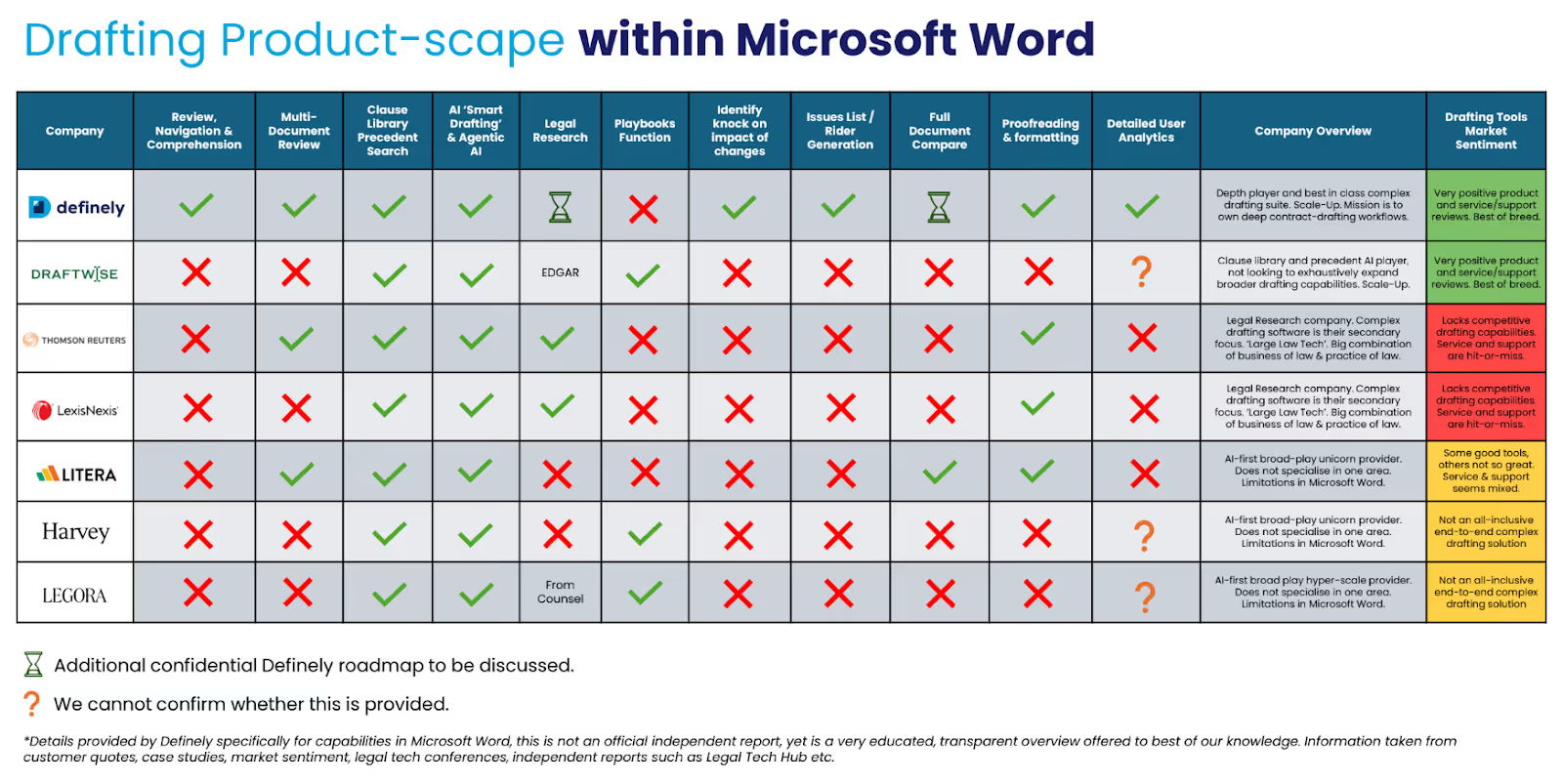
In 2026, the most effective AI legal drafting tools are not those that generate contracts from scratch, but those that help lawyers work more accurately and confidently within existing agreements. This buyer’s guide compares the 5 best AI legal drafting software tools based on how well they support real drafting and negotiation workflows, use precedent and institutional knowledge, integrate with Microsoft Word, and handle complex, negotiated contracts.
Legal document drafting software helps lawyers draft, amend, and negotiate contracts with greater accuracy, consistency, and confidence.
In practice, this means working from existing agreements and trusted precedents, refining language during negotiations, managing markups and redlines, and maintaining consistency across clauses, definitions, and related documents. The most effective tools support drafting directly inside Microsoft Word, where legal work actually happens, rather than pulling lawyers into separate platforms.
AI plays a supporting role by comparing draft language against precedent, suggesting alternative wording, identifying gaps or inconsistencies, and reducing the manual effort involved in navigating long or complex agreements. Importantly, these tools are designed to assist legal judgement, not replace it.
True legal document drafting software is not about generating contracts from a blank page or automating large volumes of low-risk documents. It is about supporting complex, negotiated drafting work within existing legal workflows.
When it comes to legal drafting software, the difference between a helpful tool and a frustrating one usually comes down to how well it fits into real legal work. For teams drafting complex, negotiated contracts, these are the things that matter most.
Good drafting software works with the documents you already have. It should help you refine language, manage markups, and work through negotiations, not just generate text in isolation. Tools built mainly around prompts often fall short once a deal starts moving.
Most lawyers still draft in Microsoft Word, and for good reason. Tools that work directly inside Word feel far more natural to use and reduce the risk of mistakes. If you have to copy and paste between platforms, the tool will quickly get in the way.
Strong drafting depends on knowing what good looks like. The best tools help you find and reuse trusted internal language, rather than relying on generic examples. This is especially important for teams with established drafting standards.
AI should make drafting easier, not more opaque. Helpful tools explain why wording is suggested and show changes clearly, so you can decide what to accept. If you cannot see what the tool is doing, it is hard to trust it.
Many contracts are not single documents. Master agreements, schedules, and shared definitions add real complexity. Drafting software needs to understand this structure, otherwise it will struggle when things get complicated.
For teams in regulated industries, security is not optional. Being able to control where data is processed and stored can be just as important as the drafting features themselves.
Best overall for complex legal drafting inside Microsoft Word
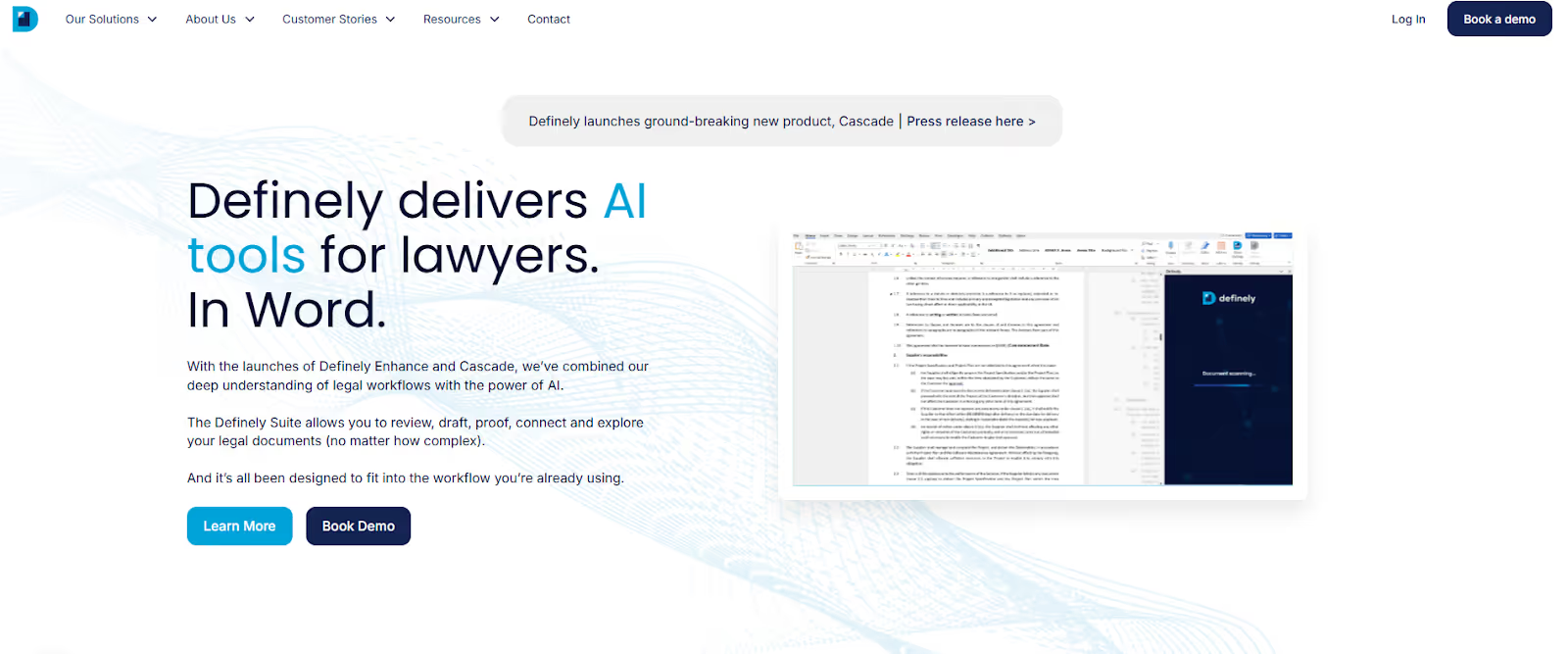
Definely is built for lawyers who spend their time drafting and negotiating long, complex contracts where small details carry real risk. It works natively inside Microsoft Word and helps lawyers move through clauses, definitions, schedules, and related agreements without losing their place or breaking their drafting flow.
Rather than trying to generate contracts automatically, Definely focuses on supporting the reality of legal drafting. It helps lawyers work more accurately and confidently with the documents they already have, especially during negotiation and revision.
Definely stands out because it applies AI to the parts of drafting that are slow, manual, and easy to get wrong. By removing the need to constantly search, cross-check, and switch between documents, it reduces cognitive load while keeping lawyers fully in control of drafting decisions.
Enterprise pricing, typically starting in the mid five figures per year, depending on modules, deployment model, and organisational requirements.
Curious to see why companies like JP Morgan, Barclays and BT Group use Definely? Get in touch with our team to schedule your free, no-commitment demo today.
Best for precedent-driven transactional drafting
DraftWise is designed to help transactional lawyers understand how contract clauses have been drafted in previous deals. It focuses on analysing precedent to support more consistent and informed drafting decisions during transactions.
Rather than supporting end-to-end drafting workflows, DraftWise concentrates on giving lawyers visibility into market practice and internal drafting patterns.
DraftWise performs well within a clearly defined use case. It is particularly useful for transactional teams that want structured insight into how similar clauses are typically drafted, without changing their broader drafting process.
Mid-range enterprise pricing, typically based on team size and data scope.
Best for standardised drafting at scale

Litera provides a broad drafting and document quality ecosystem that is widely used across large law firms. Its tools are designed to help teams produce consistent, well-structured documents through proofreading, document comparison, and workflow standardisation.
Rather than focusing on deep drafting assistance within individual contracts, Litera’s strength lies in supporting firm-wide drafting quality and consistency.
Litera is a strong choice for organisations that want to standardise drafting practices across large teams. It works particularly well where consistency, document hygiene, and firm-wide processes are the primary goals.
Enterprise pricing, typically bundled across multiple products and modules.
Best for general AI drafting assistance
Harvey is a general-purpose legal AI platform used by law firms and in-house teams to support research, drafting assistance, and analysis across a wide range of legal tasks. It is designed to help lawyers explore ideas, summarise information, and generate draft language efficiently.
Harvey’s strengths sit outside deep, in-document drafting workflows, particularly for complex contracts.
Harvey is a strong option for teams looking to introduce AI into research and early-stage drafting. It is less specialised for negotiated contract drafting that requires clause-level navigation, precedent handling, and Word-native workflows.
Enterprise subscription pricing, typically based on organisation size and usage.
Best for AI drafting suggestions
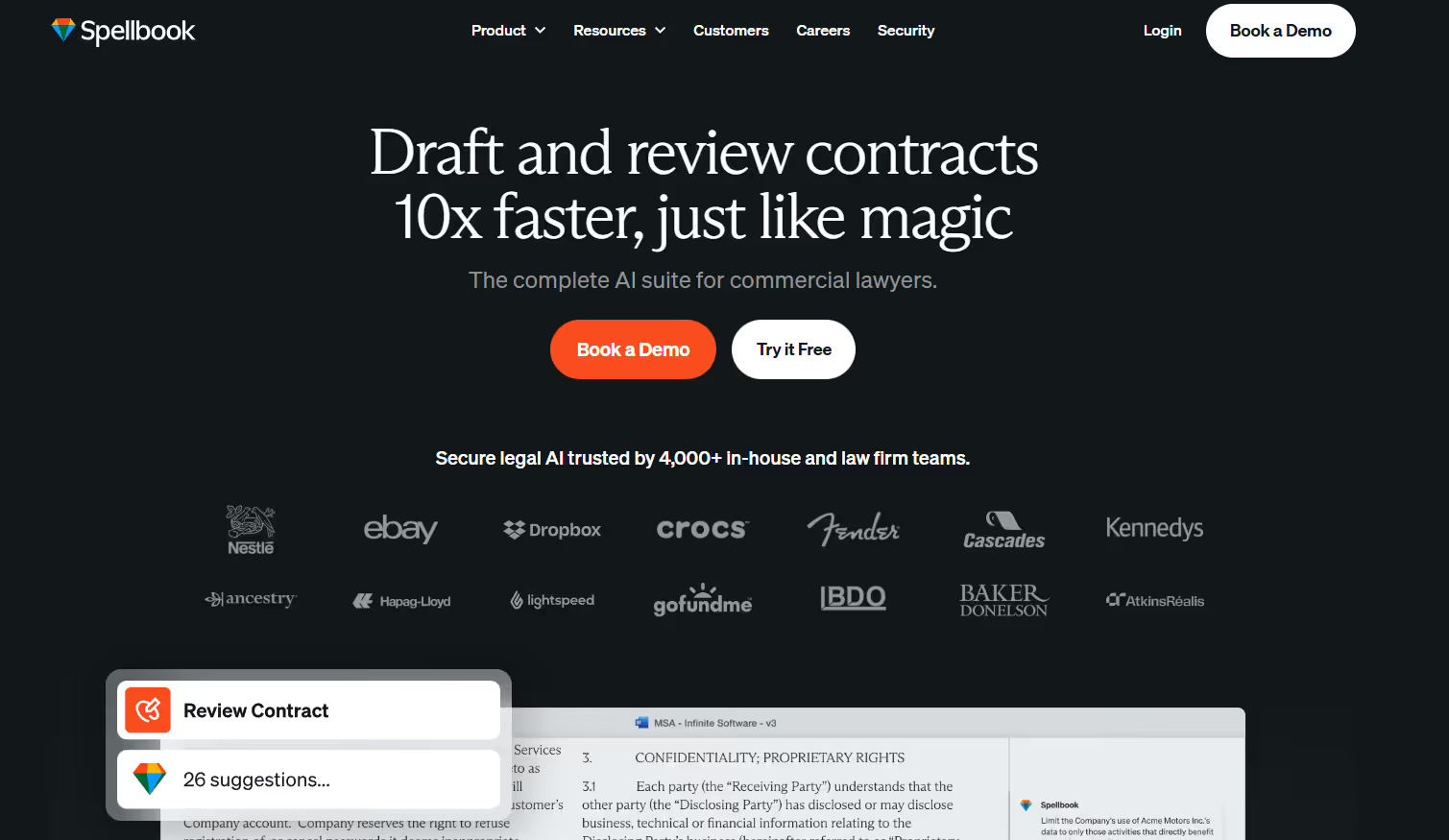
Spellbook is an AI-powered drafting tool designed to help lawyers generate and refine contract language inside Microsoft Word. Its primary focus is on suggesting clauses and alternative wording to speed up drafting tasks.
Spellbook is best suited to straightforward drafting scenarios rather than complex, negotiated agreements.
Spellbook is useful for lawyers who want quick drafting assistance and idea generation. It is less effective for drafting workflows that rely heavily on precedent, structure, and cross-document consistency.
Lower-cost subscription pricing compared to enterprise drafting platforms.
Most AI drafting tools are designed to optimise for speed. They generate language, standardise documents, or assist early drafting stages. That approach can be useful for simple agreements, but it breaks down quickly when contracts become long, negotiated, and structurally complex.
Definely takes a different approach. Instead of treating drafting as a text-generation problem, it treats it as a navigation, consistency, and judgement problem. The focus is on helping lawyers understand what they are drafting, how clauses relate to each other, and how changes affect risk across an entire contract structure.
For high-risk legal work, accuracy, context, and control matter far more than automated generation.
Drafting complex contracts is rarely about writing new language. It is about understanding how existing language fits together, how precedent should be applied, and how changes in one place affect risk elsewhere.
Tools that focus mainly on generating text can speed up early drafts, but they often introduce new risks during negotiation. Definely is designed for the opposite problem. It helps lawyers draft more safely and confidently when the stakes are highest, by embedding support directly into the drafting workflow inside Microsoft Word.
If your legal team spends its time drafting and negotiating complex contracts where accuracy, structure, and judgement matter, Definely is the strongest AI legal drafting solution in 2026.
It supports how lawyers actually draft inside Microsoft Word and applies AI in a way that improves accuracy and confidence without taking control away from the lawyer.
Get started with Definely: Book a demo
AI legal drafting software improves accuracy by reducing manual comparison and navigation work. It helps lawyers spot inconsistencies, apply precedent more consistently, and understand how changes affect the rest of the document. The most effective tools do this directly inside the draft, rather than after the fact.
Some tools can, many cannot. Software designed for complex drafting supports master agreements, schedules, shared definitions, and negotiated markups. Tools built mainly for clause generation or standard forms often struggle once documents become long or interconnected.
Drafting software focuses on creating and refining contract language during negotiation, while contract review tools focus on analysing existing documents for issues and risk. In practice, the strongest platforms support both, but drafting tools are optimised for live editing, markups, and precedent use.
The most effective tools do. High-quality drafting depends on trusted internal language, not generic examples. Drafting software that retrieves and applies firm or company precedents produces more consistent and reliable results.
It is critical. Most legal drafting still happens in Microsoft Word, especially for negotiated contracts. Tools that work natively inside Word are easier to adopt, reduce errors, and fit naturally into existing workflows.
Yes, but only if it is designed for negotiation workflows. Strong drafting tools support redlines, track changes clearly, suggest alternative wording, and help lawyers understand the impact of amendments as negotiations evolve.
It can be, depending on deployment and data controls. Enterprise-grade tools offer security features and deployment options suitable for regulated industries such as banking, government, and energy. These considerations should be evaluated early in the buying process.
Both benefit, but in different ways. Law firms use drafting software to improve consistency and efficiency across transactions, while in-house teams use it to manage risk and negotiate complex commercial agreements. The highest value comes where contracts are complex and heavily negotiated.
.avif)